
How to Get the IPC/NVR/DVR Version ID
How to Get the Version ID
• 1.How to Get the V ersion ID in local NVR or DVR
• 2. How to Get the Version ID in Web browser
• 3.How to Get the Version ID in CMS.
• 4. Download latest version firmware
1.How to Get the version ID in local NVR or DVR
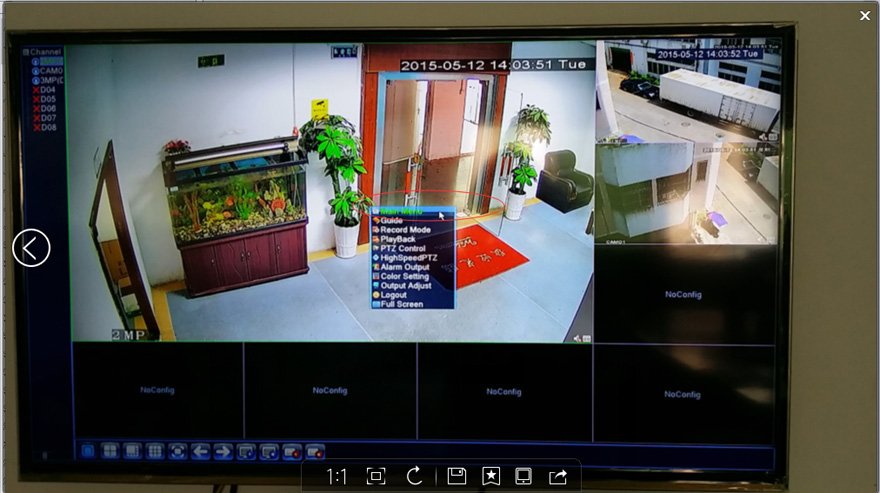
Click on step by step as following :Main Menu –> Info –> Version



2 How to Get the Version ID in Web browser
Here we take IP address visiting for an instance(Same operation for Cloud P2P website visiting)
Click on step by Step as following : Device Cfg –> System Info –> Version


3 How to Get the Version ID in CMS.
Click on Step by Step as following : Right click on preview window –> Device Congif –> System Info –> Version


4.Download latest version firmware

Take above Version ID as an example, Version ID is V4.02.R11.00001532.10010.1301
Key point is the 8 numbers 00001532,
* For NVR and DVR, Please click on the link below to search and download the correct latest firmware accordingly based on the last 3 numbers(532)
*For IPC, Please click on the link below to search and download the correct latest firmware accordingly based on the last 4 numbers(1532)
P.S.
* If the key point 8 numbers in the Version ID are not start with 000, please contact with sales team to get the latest fimrware. This link is for version ID start with 000 only
* You can check if it is latest version firmware based on publish date.